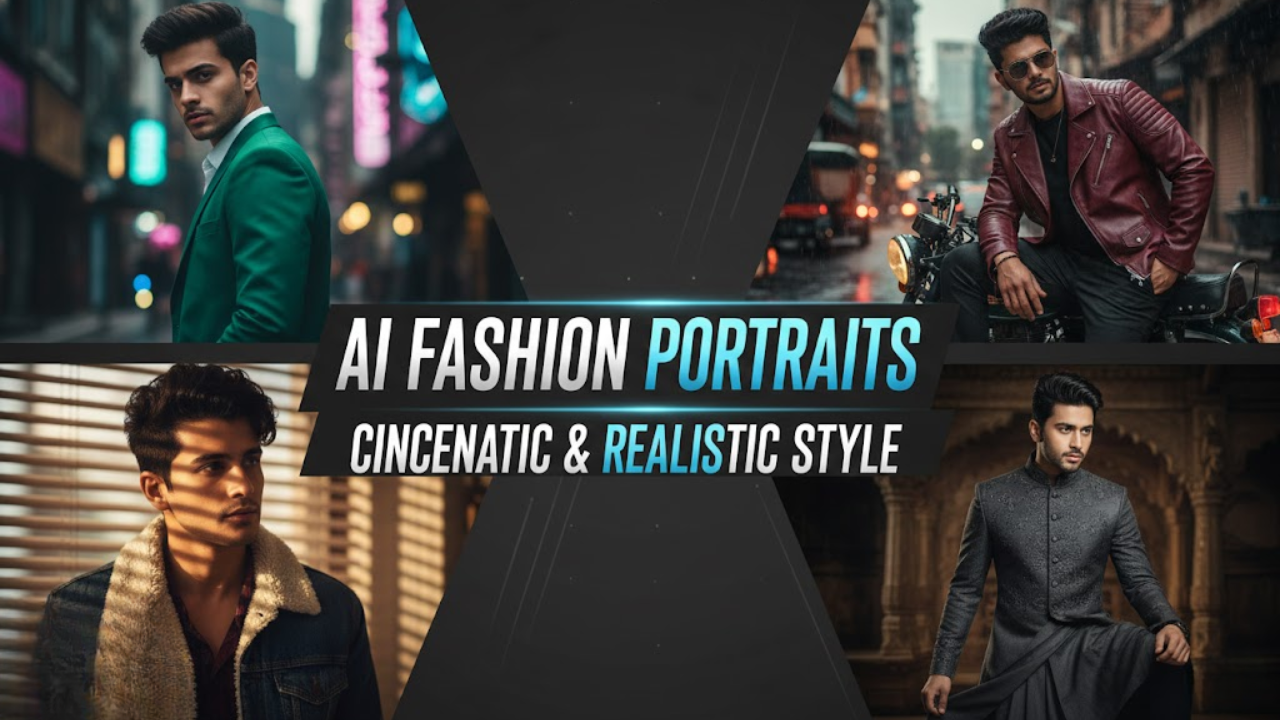
Boys in 2025 don’t need expensive studios, DSLR cameras, or professional photographers to create premium fashion portraits. With Google Gemini AI, any ordinary selfie can be transformed into an ultra-realistic, magazine-style cinematic portrait in just seconds.
Thanks to Gemini’s hyper-accurate skin rendering, realistic lighting, and fashion-grade detailing, you can achieve DSLR-quality depth of field, authentic textures, and crisp facial clarity — all while keeping your real face intact.
Whether you want Instagram-worthy portraits, WhatsApp DPs, modelling shots, dating profile images, or personal branding photos, the right prompt makes all the difference.
This guide includes 15 professionally crafted Gemini AI photo editing prompts for boys, plus a complete workflow and expert tips to ensure your portraits look natural, cinematic, and high-fashion — never “AI-fake.”
15 Best Gemini AI Cinematic Fashion Portrait Prompts for Boys
Prompt 1
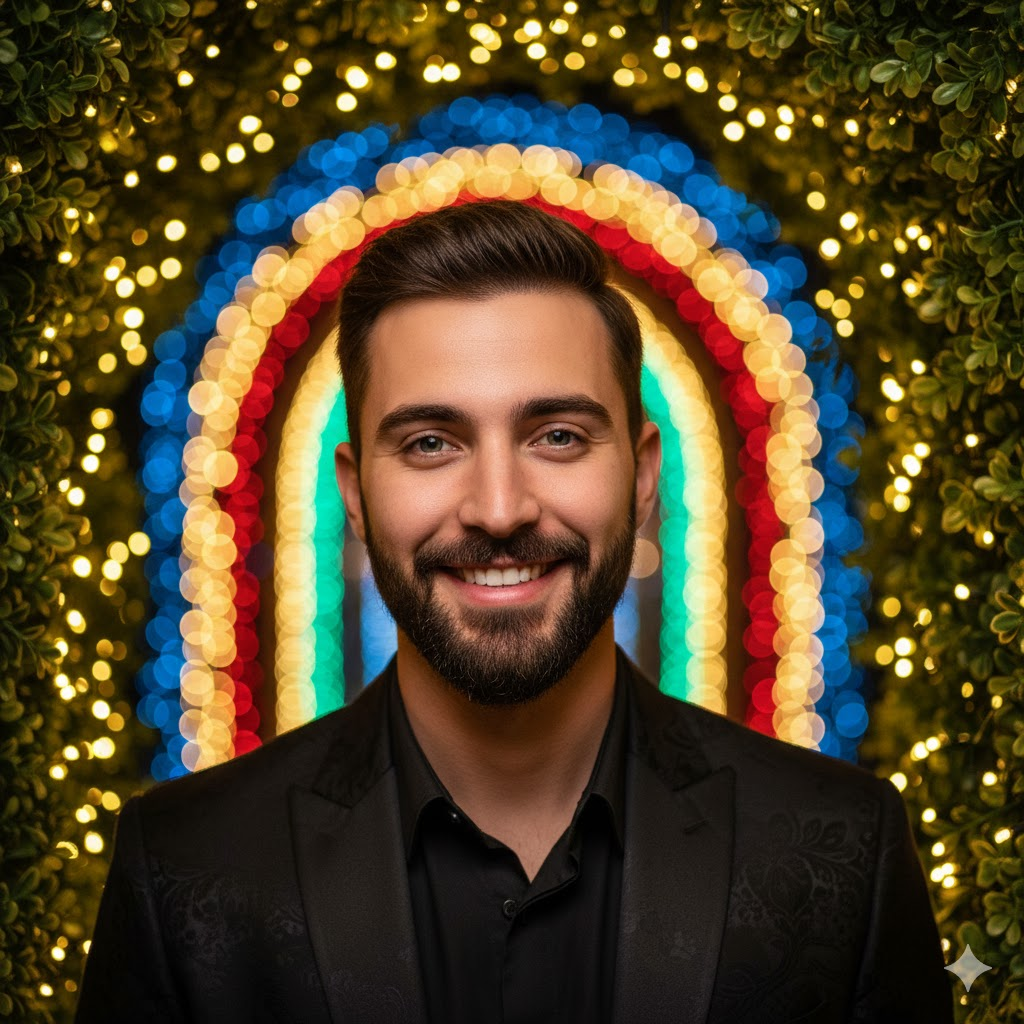
Use This:
“Vivid mid-shot portrait of a young man with a charming smile and neatly styled beard, looking directly at the viewer through dense green leaves decorated with warm string lights.
Outfit: Black patterned suit jacket.
Background: Softly blurred arch with colorful lights (blue, yellow, red, green).
Mood: Warm, playful, rich bokeh.
Style: Ultra-detailed, cinematic lighting, HDR, 8K clarity.”
Prompt 2
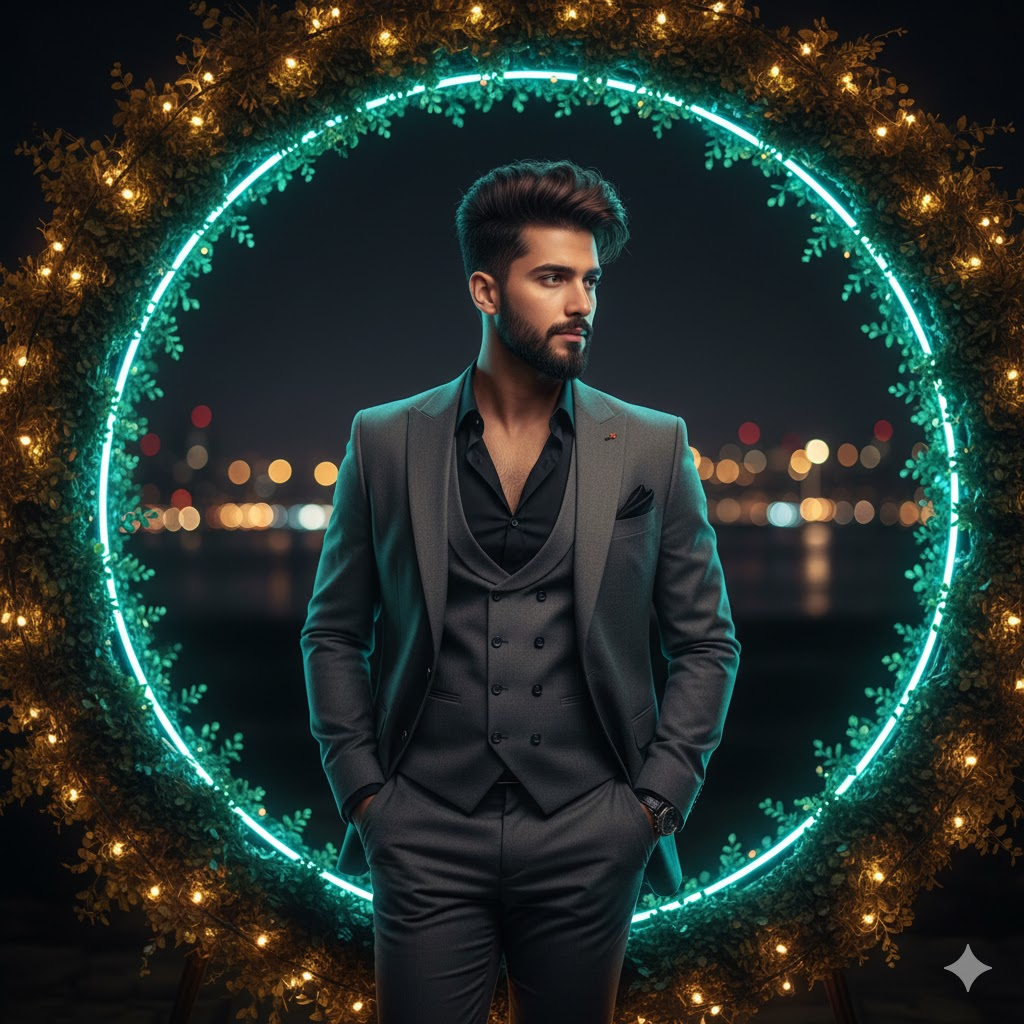
Use This:
“Full-body DSLR-style portrait of a young man with voluminous hair and a shaped beard, wearing a charcoal-gray suit with vest and black shirt.
Pose: Leaning on a glowing circular arch wrapped in greenery and warm lights, with a neon-teal inner ring.
Background: Subtle nightscape with distant city lights.
Lighting: High contrast, cinematic glow.
Style: Hyper-realistic, ultra-detailed 8K portrait.”
Prompt 3
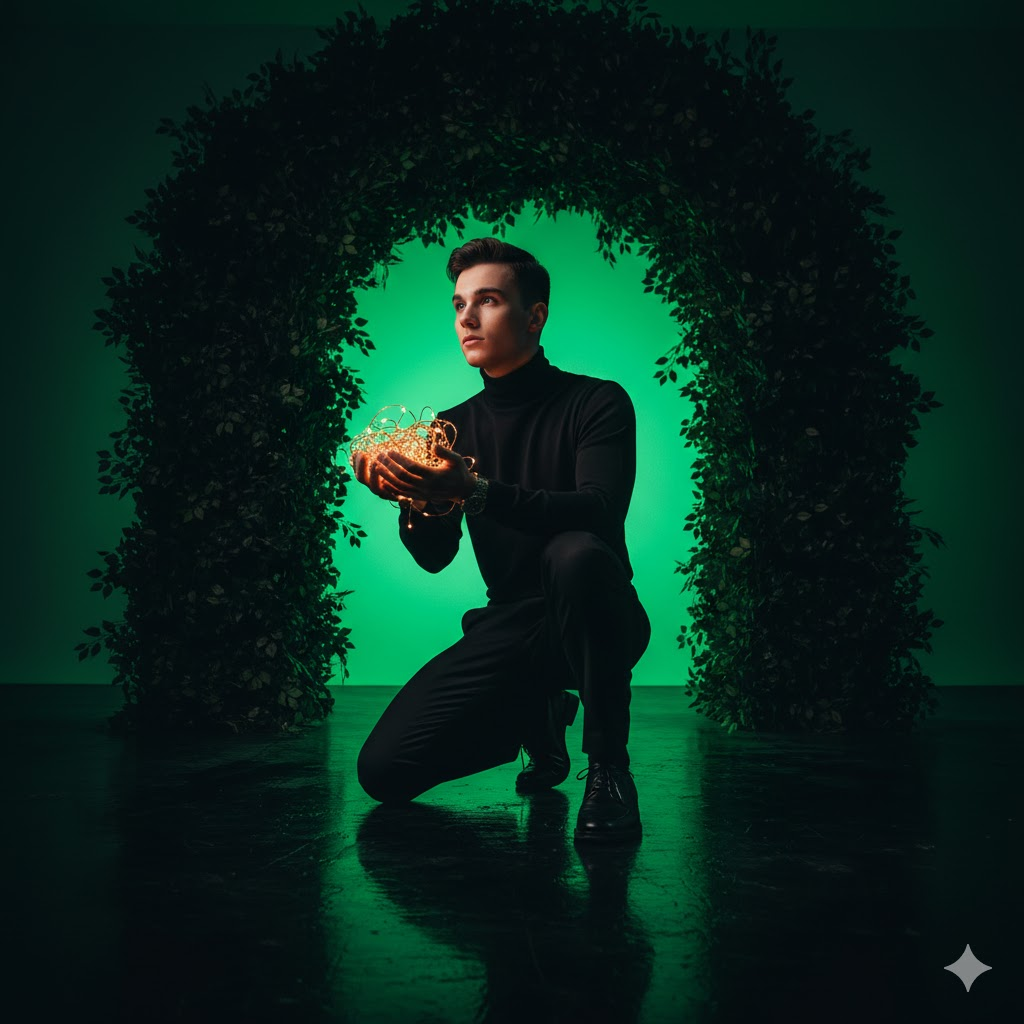
Use This:
“Low-angle atmospheric full-body portrait of a young man in an all-black outfit (turtleneck, trousers, shoes).
Pose: Kneeling on a reflective floor, gazing at warm glowing string lights in his hands.
Background: Neon-green glowing foliage arch.
Mood: Dark, moody, emotional.
Style: Strong reflections, crisp rim lighting, cinematic 8K.”
Prompt 4
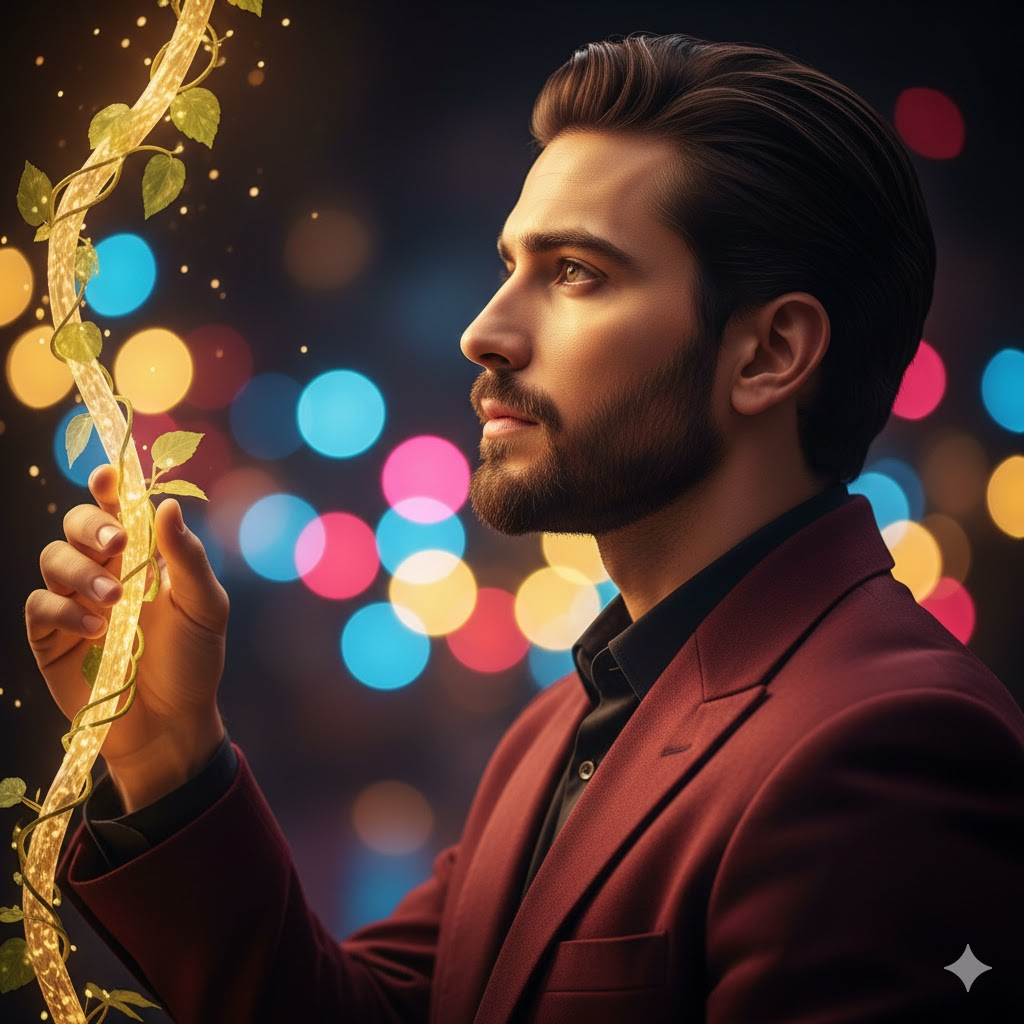
Use This:
“Three-quarter profile portrait of a young man with slick-back hair and a refined beard wearing a maroon velvet suit.
Pose: Touching a glowing vine while looking upward thoughtfully.
Background: Multicolored ring lights (blue, pink, yellow, red).
Mood: Dreamy, golden.
Style: Hyper-detailed, cinematic depth, 8K.”
Prompt 5
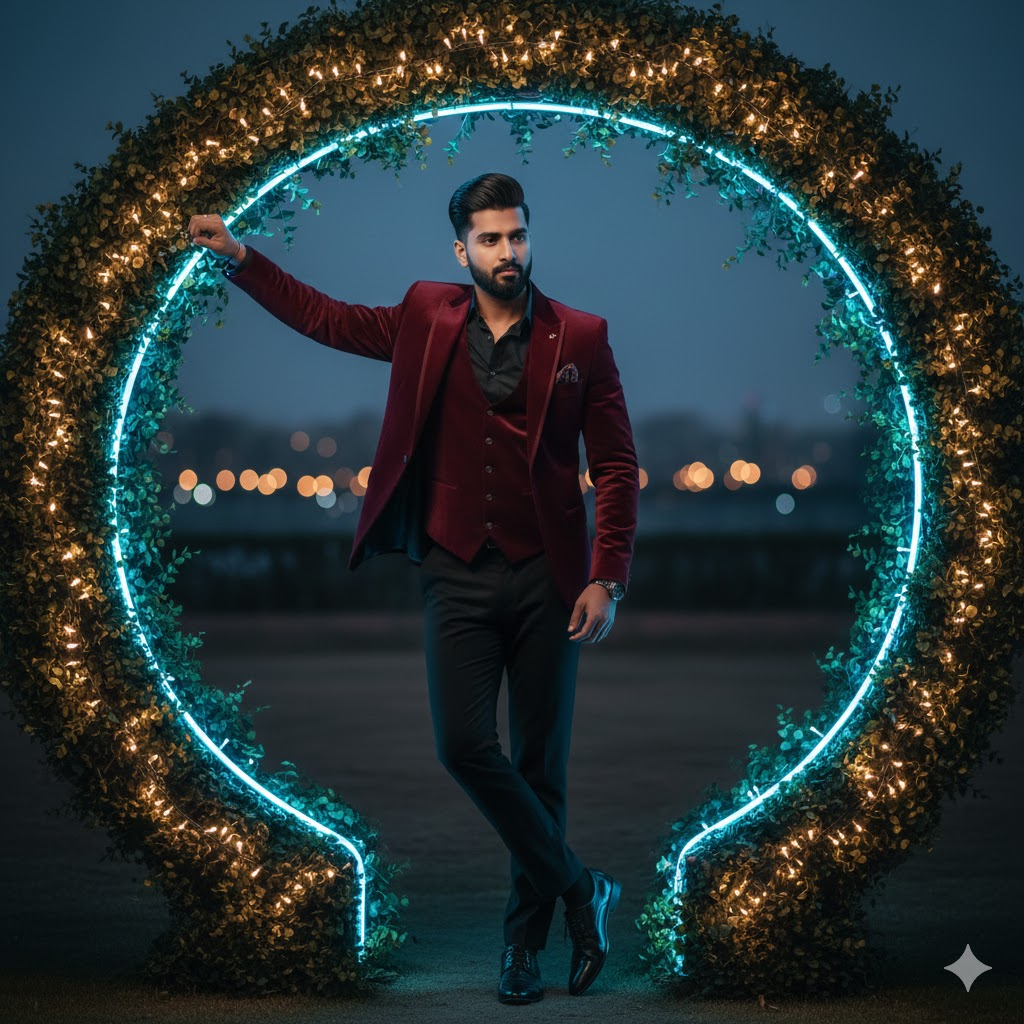
Use This:
“Full-body fashionable portrait of a young man in a maroon velvet suit and black shirt.
Pose: Leaning casually against a decorative arch wrapped with warm lights and greenery, with a neon-blue inner glow.
Background: Soft evening outdoor blur.
Lighting: Gentle rim lighting, volumetric depth.
Style: Hyper-realistic cinematic 8K.”
Prompt 6
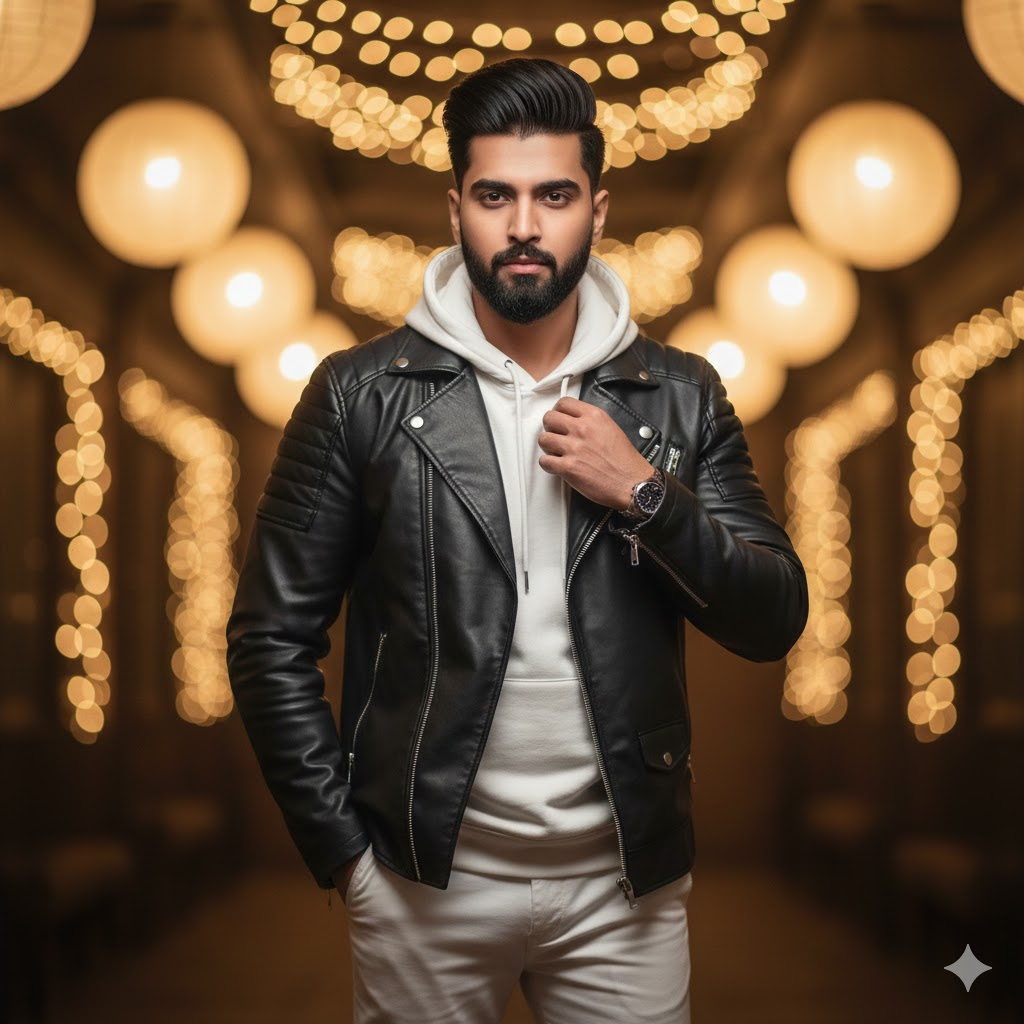
Use This:
“8K hyper-realistic portrait of a stylish young man using the exact reference face.
Outfit: Black leather jacket, white hoodie, white pants, white sneakers.
Pose: One hand in pocket, the other adjusting collar.
Background: Warm golden indoor bokeh.
Style: HDR, crisp skin texture.”
Prompt 7
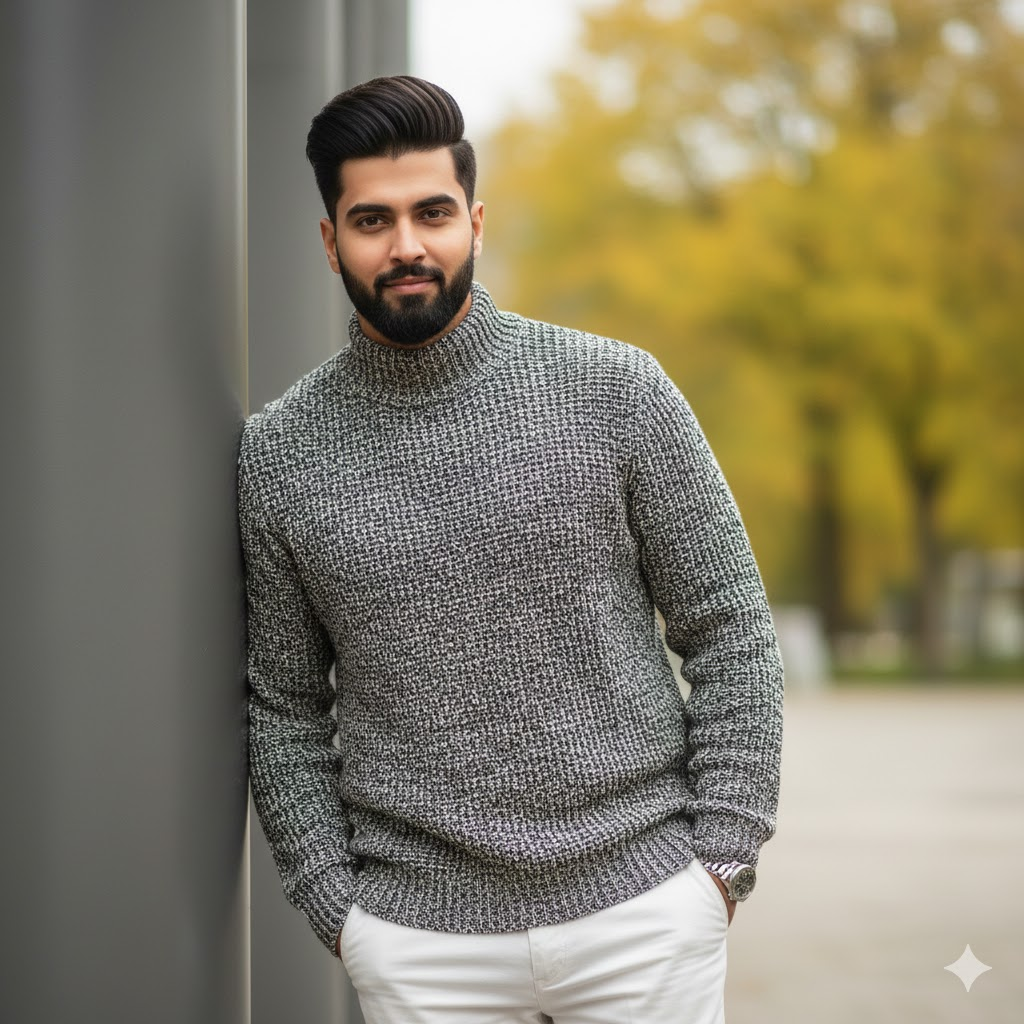
Use This:
“Ultra-realistic 8K portrait using the same face and hairstyle from reference.
Outfit: High-neck knit speckled sweater; white trousers.
Pose: Leaning on a matte-gray pillar with soft smile.
Background: Blurred yellow-green trees.
Lighting: Natural soft light.”
Prompt 8
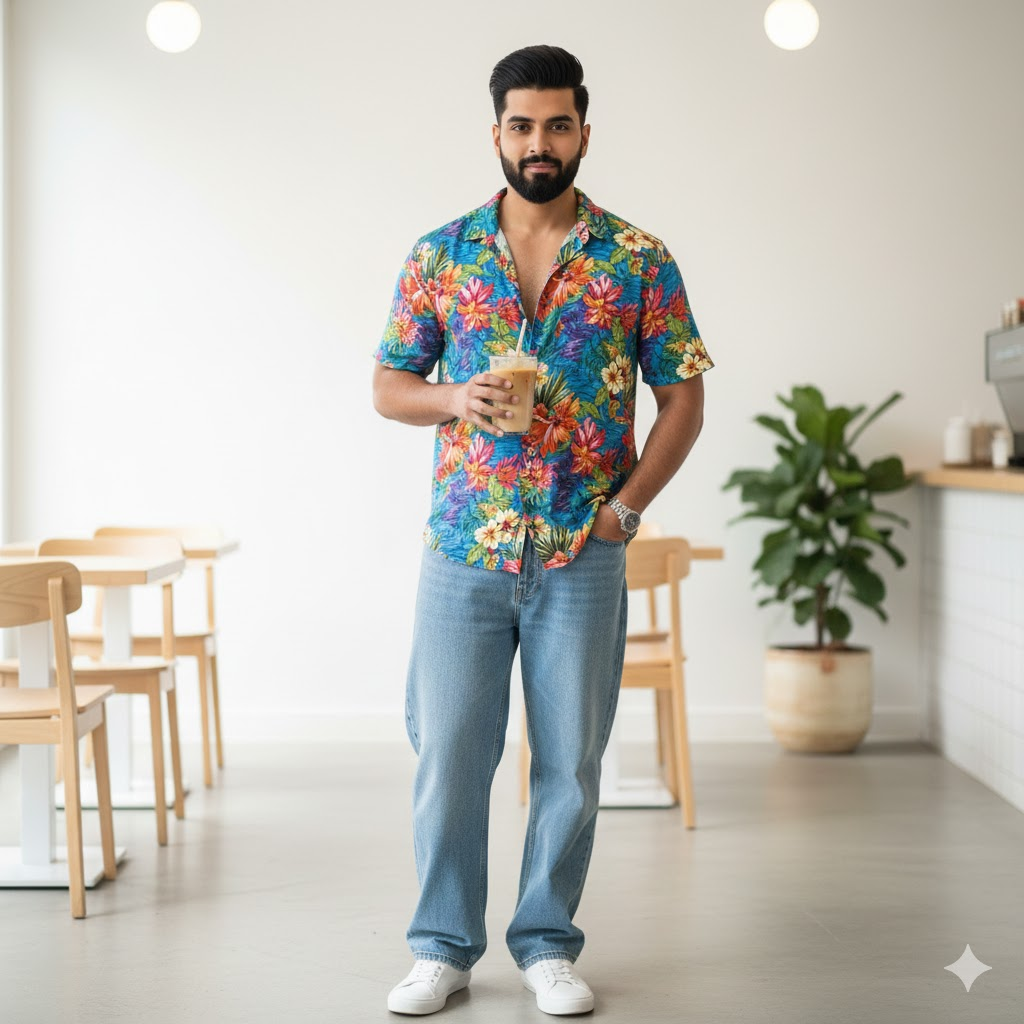
Use This:
“Hyper-detailed 8K portrait using the reference face.
Outfit: Colorful Hawaiian printed shirt with loose blue jeans.
Pose: Standing casually in a modern café, holding iced coffee.
Background: Bright minimalist café with an indoor plant.
Style: Clean HDR skin tones, cinematic DOF.”
Prompt 9
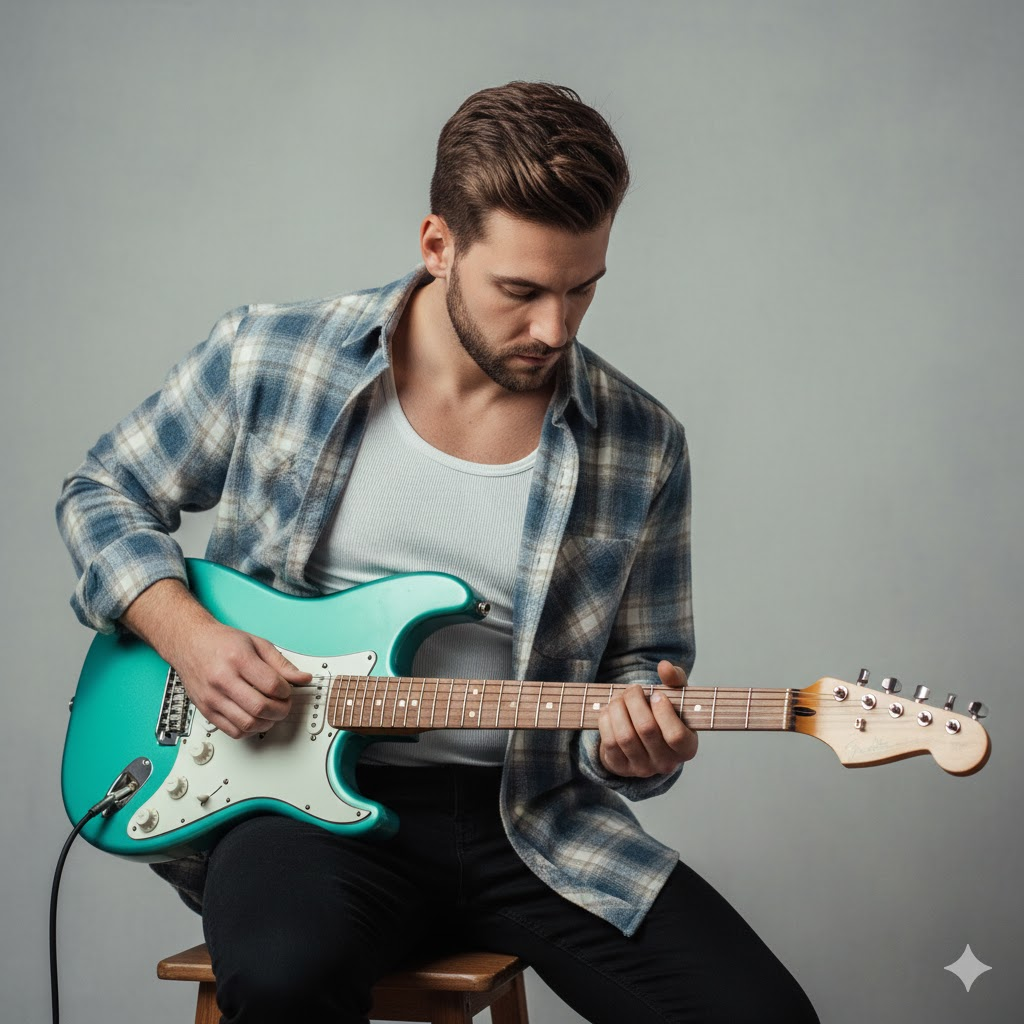
Use This:
“Photorealistic 8K portrait with exact reference face.
Outfit: White ribbed tank top with blue-beige-white plaid flannel.
Pose: Sitting on wooden stool playing a teal electric guitar.
Background: Neutral soft backdrop.
Style: Ultra-detailed lighting and texture.”
Prompt 10

Use This:
“Intimate 8K portrait using exact face from reference.
Outfit: Soft red and white shirt with ‘ANAS’ pendant.
Pose: Lying in bed using phone, relaxed.
Background: Dim room with warm shadows and subtle phone glow.
Style: Soft cinematic lighting and gradients.”
Prompt 11
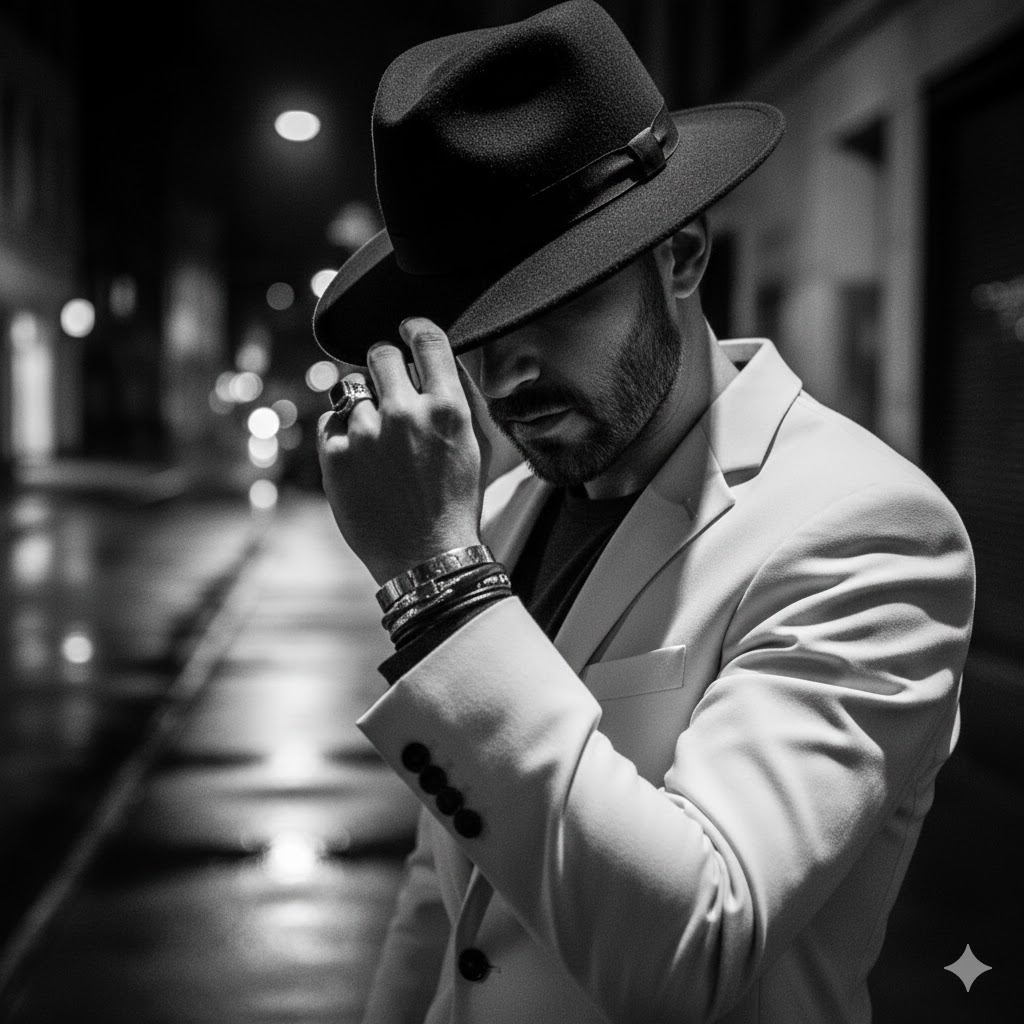
Use This:
“8K black-and-white editorial portrait of a man in an ivory blazer and forward-tilted fedora casting shadow over his eyes.
Pose: One hand on the hat with rings and bracelets.
Mood: Noir drama meets GQ editorial.
Style: Sharp contrast, detailed textures, 4:5 ratio.”
Prompt 12
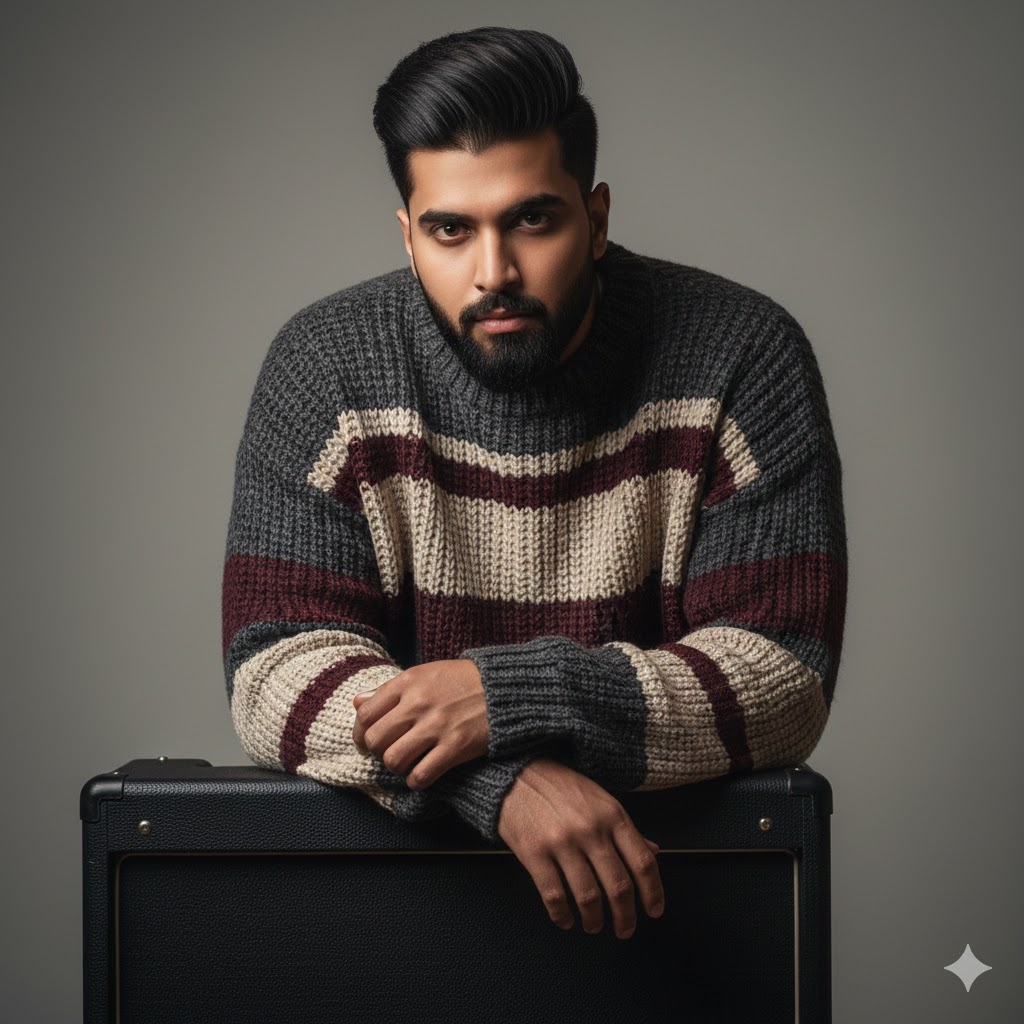
Use This:
“High-resolution editorial close-up using reference face.
Pose: Leaning on a black guitar amp, moody expression.
Outfit: Oversized striped knit sweater with abstract patterns.
Background: Minimal gray studio wall.
Style: Cinematic emotion, intricate knit texture.”
Prompt 13
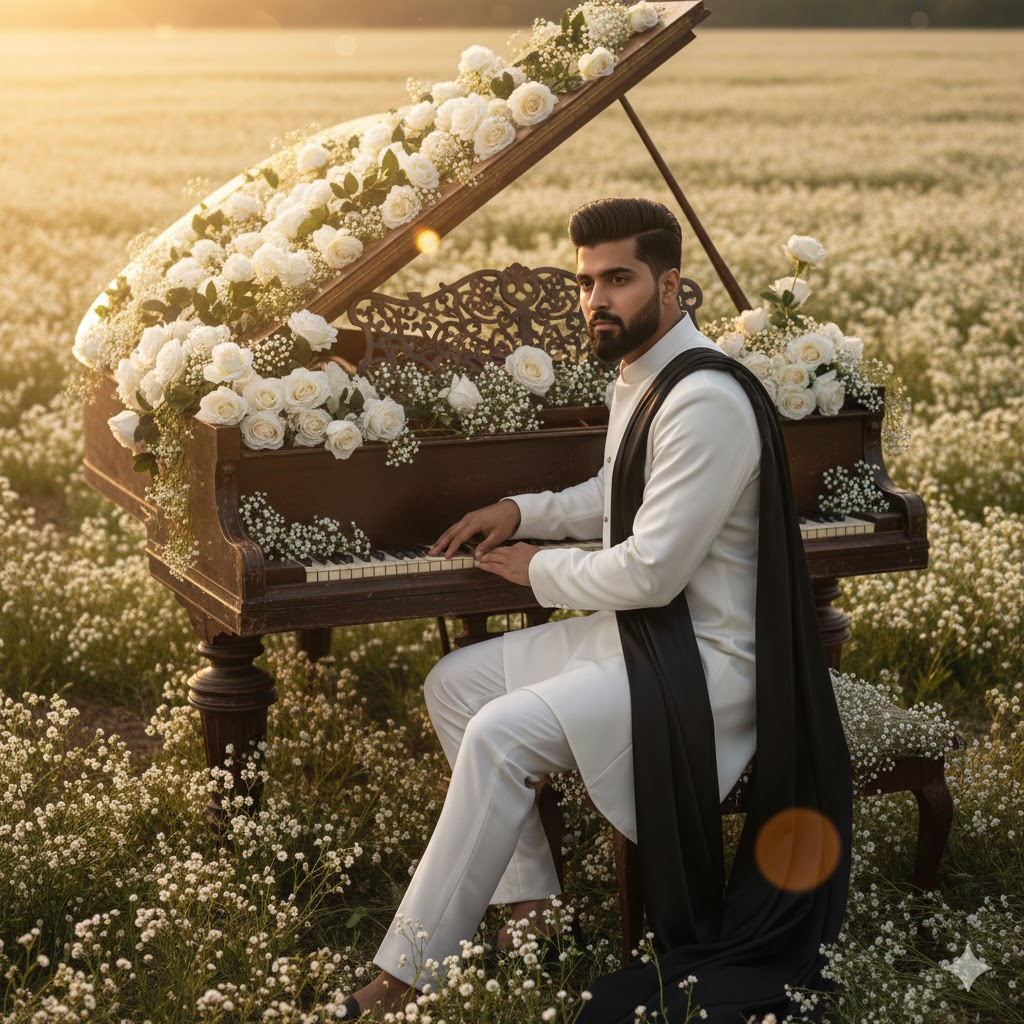
Use This:
“Romantic golden-hour portrait in a field of white flowers using reference face and hairstyle.
Pose: Sitting at a grand piano overflowing with white roses.
Outfit: All-white look with flowing black fabric.
Mood: Soft, emotional, nostalgic.
Style: Dreamy golden light and detailed florals.”
Prompt 14
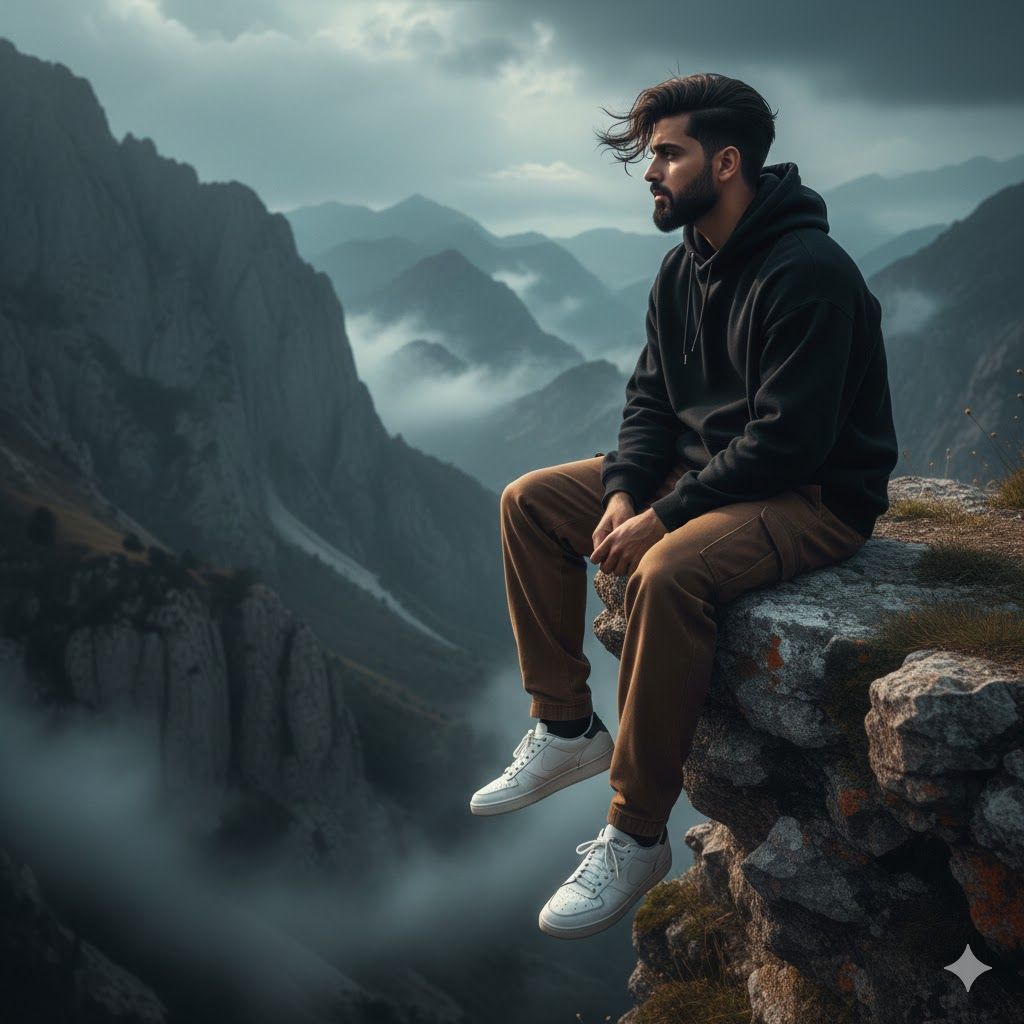
Use This:
“Hyper-realistic full-body side-view portrait using exact reference face.
Pose: Sitting at the edge of a misty mountain cliff, hair blowing in wind.
Outfit: Oversized black hoodie, brown loose pants, white sneakers.
Background: Foggy mountains under overcast sky.
Mood: Free, emotional, dramatic.
Style: Strong contrast, cinematic lighting.”
Prompt 15
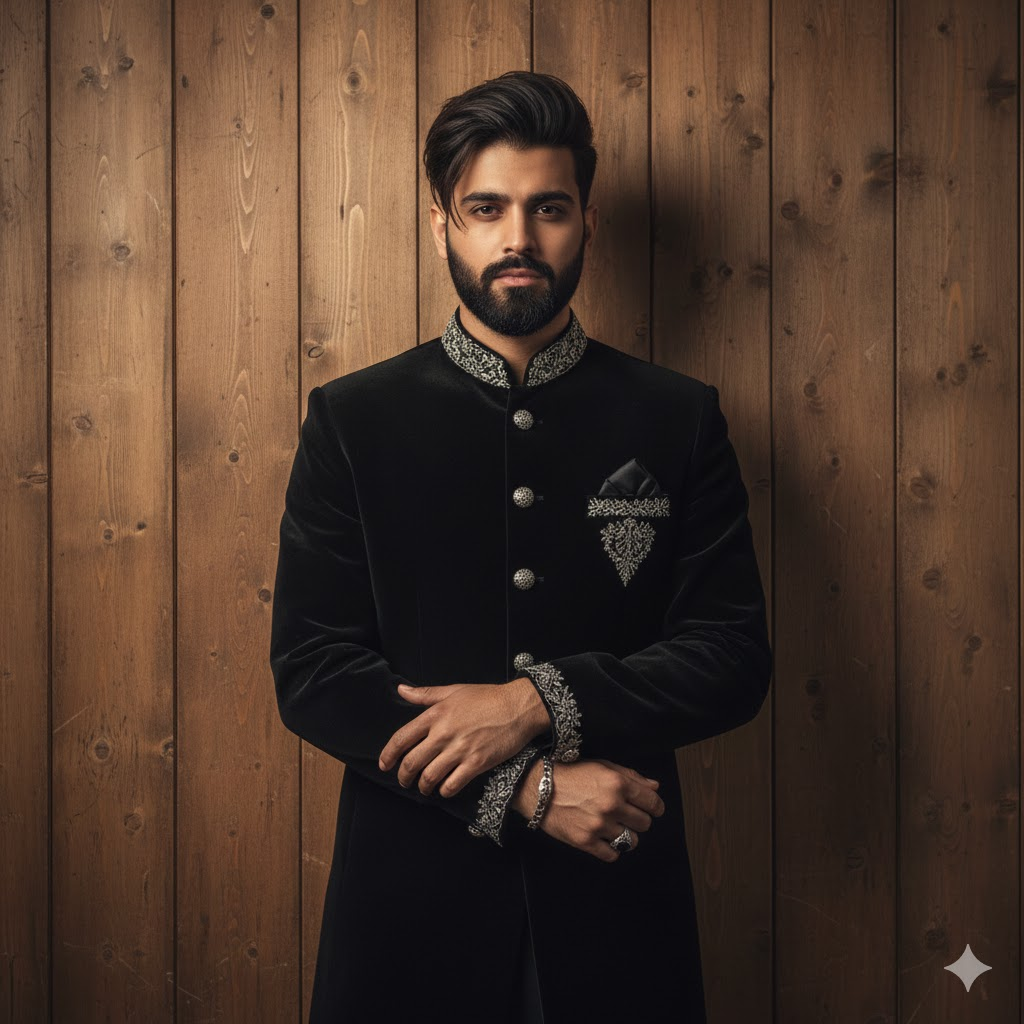
Use This:
“Realistic portrait using exact reference face, standing against wooden wall.
Outfit: Black sherwani with silver embroidery.
Pose: Arms loosely crossed; silver bracelet and ring.
Lighting: Warm soft tones highlighting details.
Mood: Elegant, classy, traditional-modern.”
How to Create DSLR-Quality Cinematic Portraits Using Gemini AI
Step-by-Step Workflow
1. Start with a clear base photo
Use a sharp, naturally lit selfie. Avoid filters and low-light images.
2. Open Gemini’s image editing workspace
Tap “Upload reference image.”
3. Upload your photo & lock your identity
Add instructions like:
“Keep face exactly the same — no changes to skin tone, facial features, or structure.”
4. Paste your cinematic portrait prompt
Include pose, angle, lighting, outfit, background, camera style.
5. Add negative prompts
Use lines like:
- no plastic skin
- no over-smooth texture
- no distortions
- no cartoon effect
- no extra objects
These preserve realism.
6. Generate, tweak, and refine
Regenerate until lighting, depth, and mood are perfect.
Pro Tips for Perfect AI Fashion Portraits
✔️ Write prompts like a photographer
Example: “50mm f/1.8, shallow DOF, cinematic lighting, HDR.”
✔️ Describe outfits clearly
Strong fashion details create premium visuals.
✔️ Control the background
Use clean, cinematic scenes with soft bokeh.
✔️ Repeat face-locking instructions
Ensures accurate identity every time.
✔️ Use negative prompts
Prevents unrealistic skin or CGI effects.
✔️ Start simple and build gradually
Begin with clean portraits, then add effects like neon, smoke, or reflections.