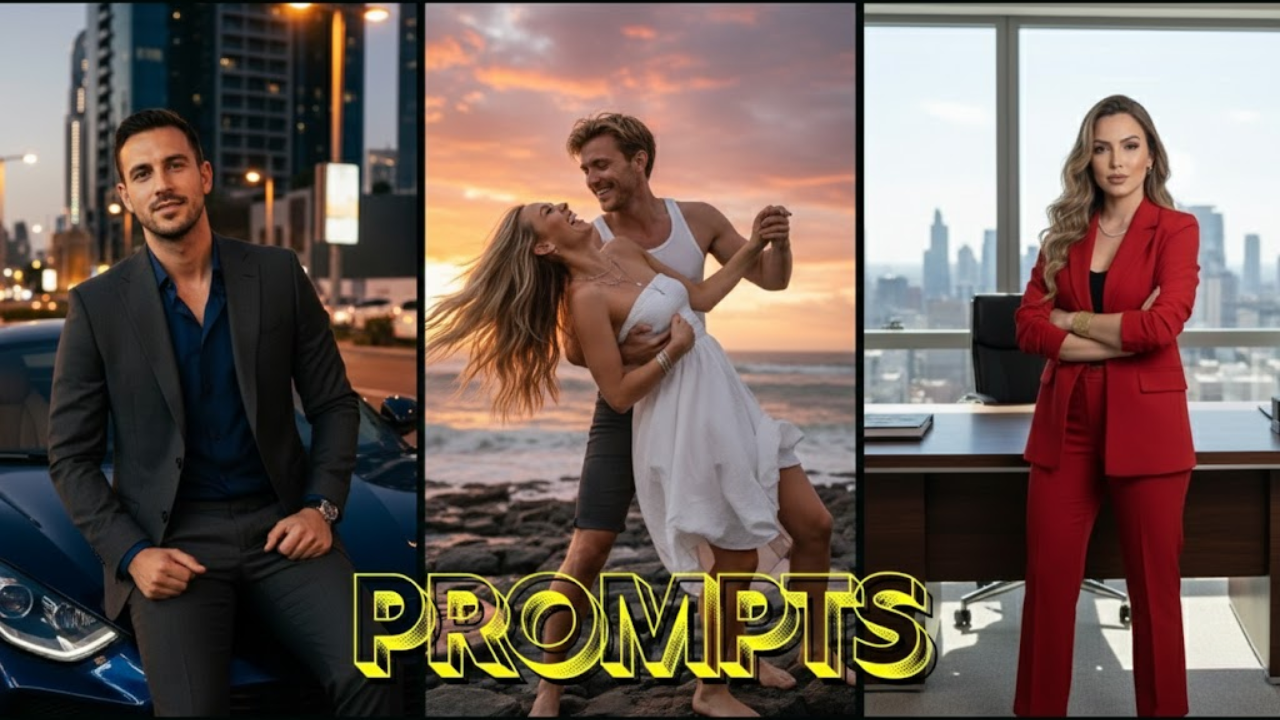
Professional portrait photography no longer requires expensive cameras, lighting setups, or complex editing tools. With Google’s Gemini Nano Banana Pro, you can convert a simple, flat image into a 4K, hyper-realistic, DSLR-grade portrait using nothing more than a carefully written text prompt.
Whether you’re enhancing your selfies, upgrading your social media content, designing thumbnails, or building a modeling portfolio, this curated list of 20 brand-new, original prompts is built to give you:
- Razor-sharp eyes
- Natural pore-level skin texture
- Correct facial proportions
- Studio-quality lighting
- Realistic background depth
- Cinematic mood and color grading
Each prompt has been crafted to work for both image editing (upload photo → enhance) and image generation (create from scratch).
They emphasize realism, identity preservation, aesthetic balance, and professional photographic quality.
How to Use These Prompts Effectively
Step 1 — Open Gemini → Select Nano Banana Pro (Image mode)
Choose “Create Images” or “Edit Image” depending on whether you are uploading or generating.
Step 2 — Upload your photo (optional)
For editing portrait photos, always upload your image first.
Step 3 — Copy & Paste any prompt**
Add small personal details like:
- age
- hairstyle
- background mood
- outfit
Step 4 — Generate
If something looks off, refine words like:
- “warmer light”
- “stronger shadows”
- “softer background”
- “more natural skin texture”
20 Completely New Gemini Nano Banana Pro Prompts for Ultra-Realistic Portrait Editing
(All brand-new and original)
Prompt 1: Premium Studio Beauty Portrait (Neutral Tones)
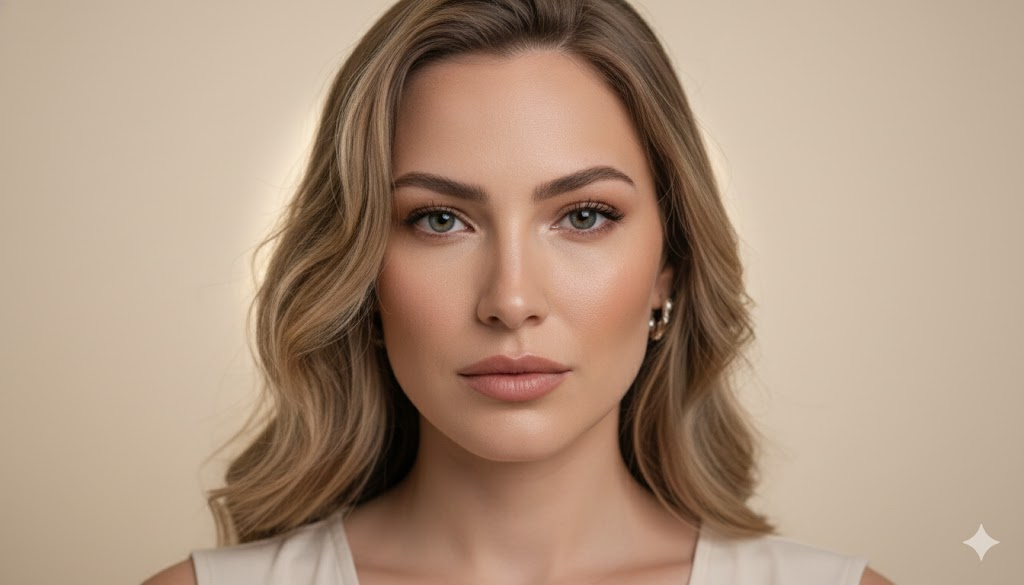
“Create an ultra-realistic studio portrait of the uploaded person with neutral-toned beauty lighting, soft shadows, sharp eye reflections, and natural skin texture. Maintain the exact facial structure. Use a 50mm f/1.8 DSLR look with a creamy beige backdrop. Add subtle highlights on cheekbones and a gentle hair light to separate the subject from the background.”
Prompt 2: Golden Hour Cinematic Outdoor Portrait
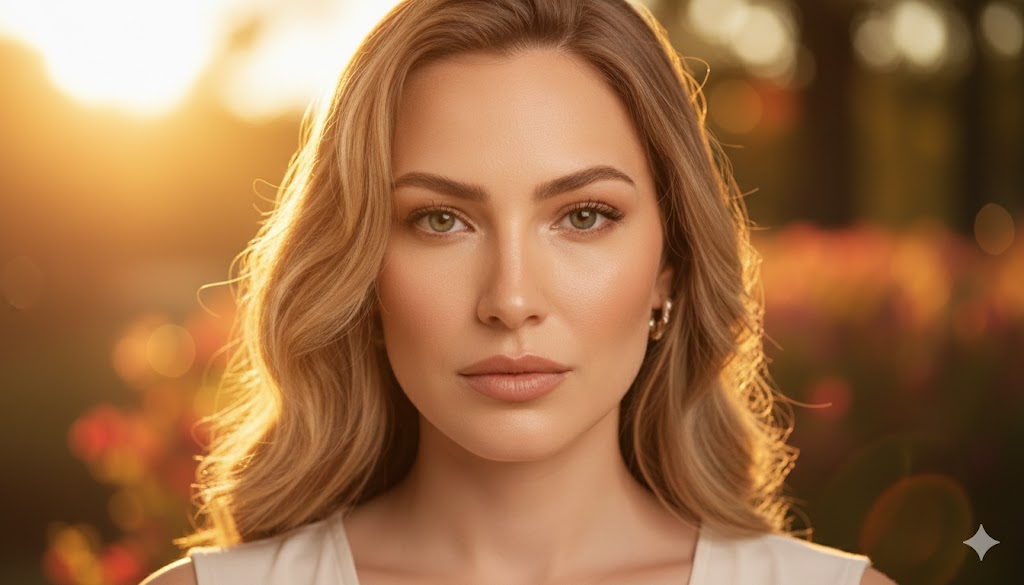
“Enhance the photo into a golden-hour cinematic portrait. Warm sunlight on the face, natural backlight glow around the hair, crisp eyes, smooth shadows, and a shallow depth of field. Background should blend into warm oranges and soft bokeh. Keep facial identity unchanged.”
Prompt 3: High-Fashion Editorial Portrait (Magazine Style)
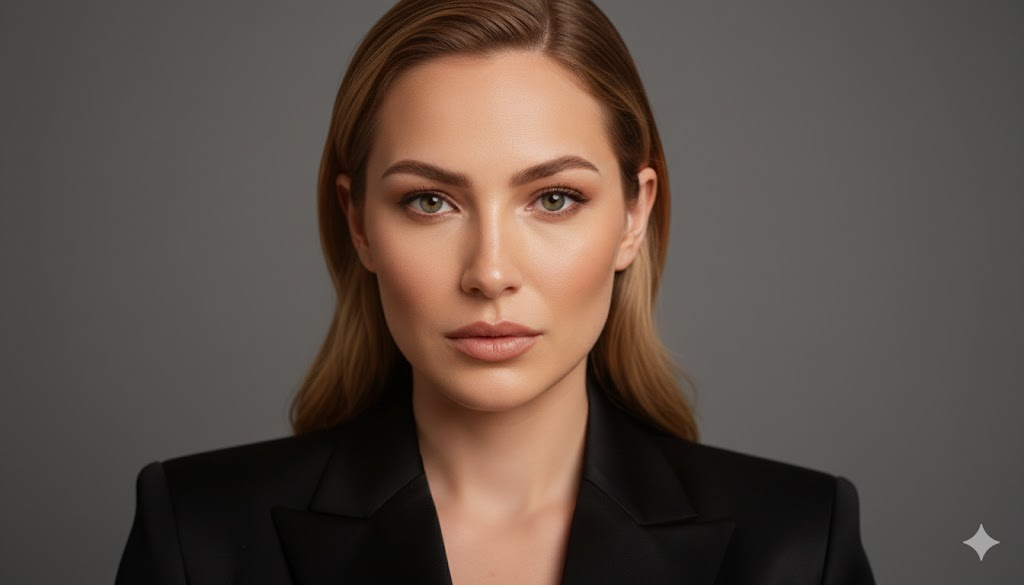
“Transform the image into a high-fashion editorial portrait with glossy lighting, rich contrast, and refined texture. Outfit becomes a sleek modern jacket. Background: matte gray studio wall. Capture a poised, confident expression with 4K photographic clarity.”
Prompt 4: Corporate Professional LinkedIn Headshot
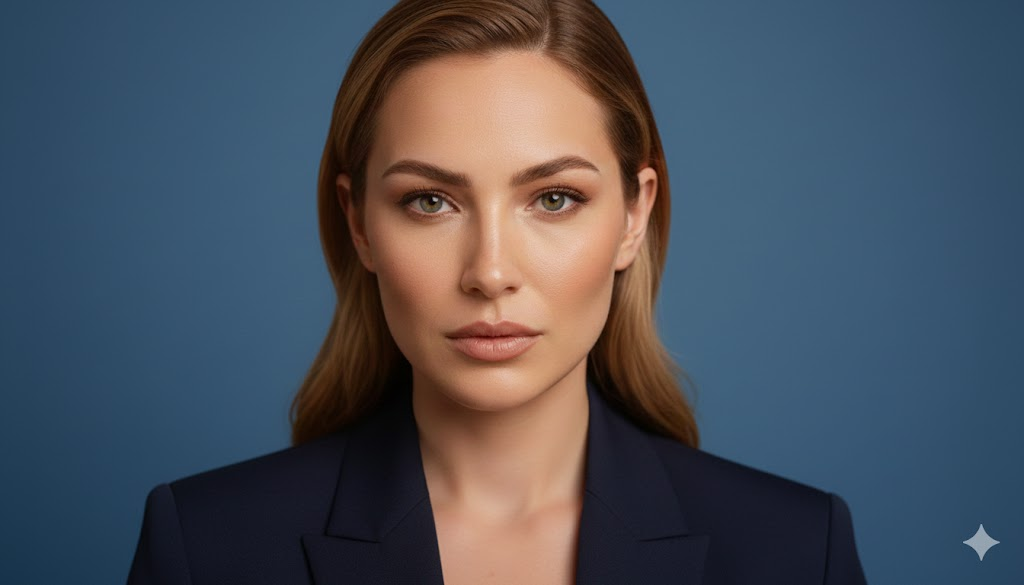
“Create a hyper-clean, professional corporate headshot. Neutral lighting, soft shadows, detailed skin, and natural colors. Replace background with a smooth gradient blue office portrait backdrop. Maintain exact facial identity. 85mm DSLR headshot style.”
Prompt 5: Moody Noir Portrait with Soft Shadows
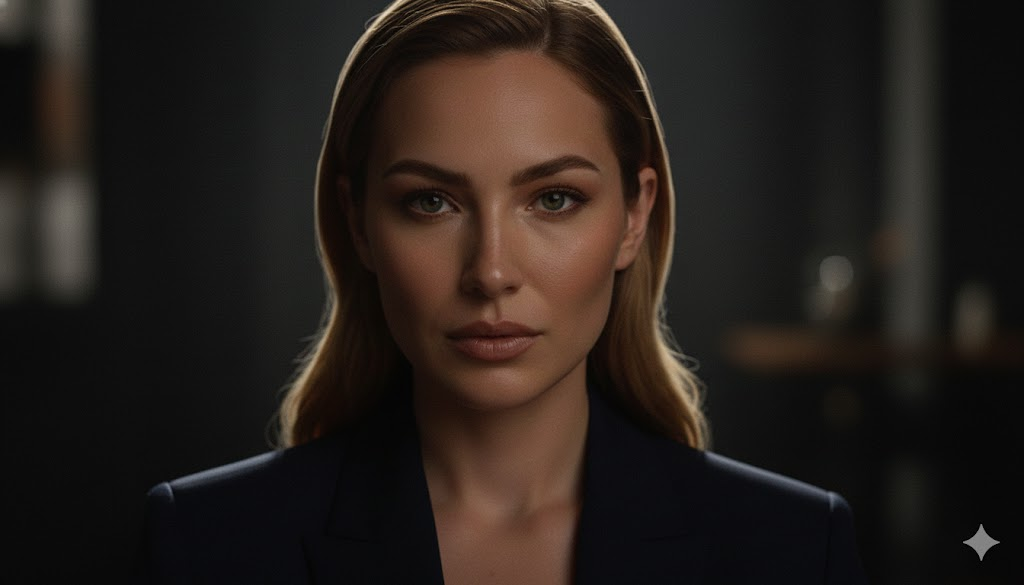
“Produce an artistic noir-inspired portrait with deep contrast, soft rim lighting, and cinematic shadows. Subtle grain for realism. Eyes remain sharp; lips and skin retain natural detail. Background: dark blurred room ambiance.”
Prompt 6: Soft Romantic Pastel Portrait
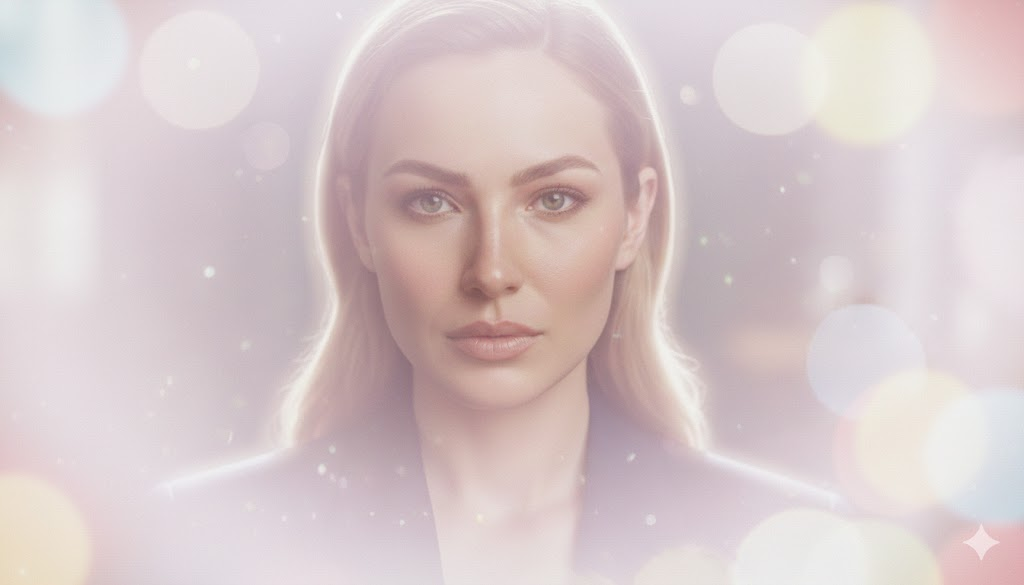
“Enhance the uploaded photo into a pastel-toned romantic portrait with airy lighting, blush tones, soft bokeh, and subtle glow. Maintain realism—no cartoonish textures. Skin stays natural, eyes bright, and hair softly highlighted.”
Prompt 7: Modern Street-Style Portrait (Urban Chic)
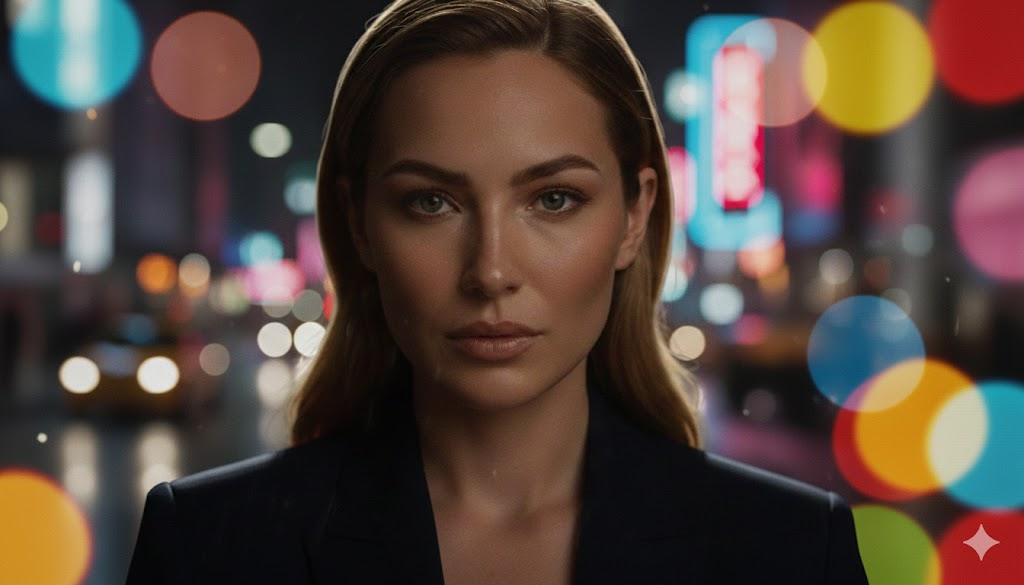
“Create a modern street-style portrait with realistic urban lighting, high contrast, ambient reflections, and clean skin texture. Background becomes a blurred city night scene. Preserve face structure and expression.”
Prompt 8: Luxury Lifestyle Portrait (Minimalist Elegance)

“Generate a luxury minimalist portrait with bright diffused lighting, white interiors, and high-end fashion aesthetics. Outfit: simple cream blazer. Maintain facial identity perfectly. Add soft shadows for depth.”
Prompt 9: Hyper-Realistic Color Graded Portrait
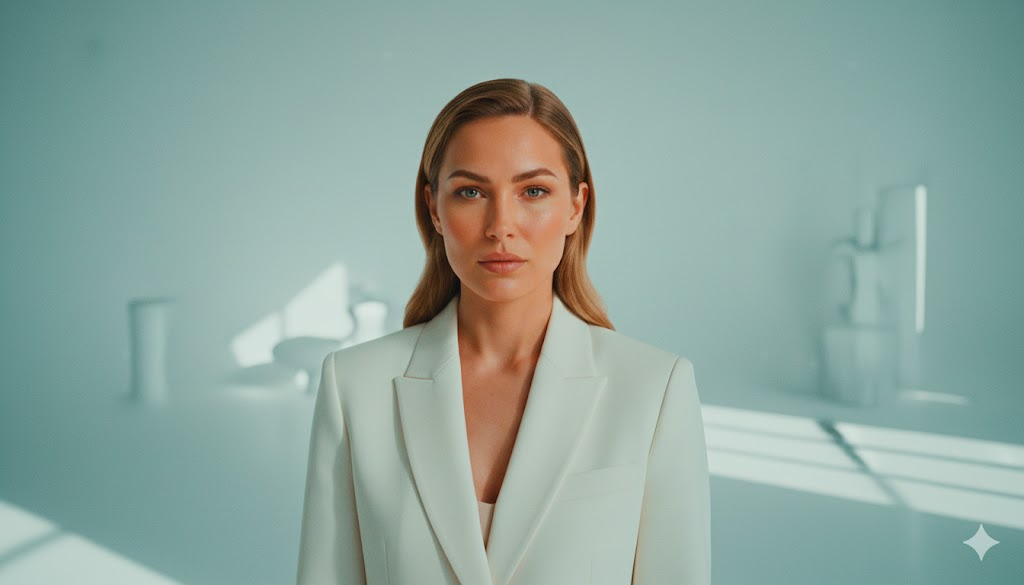
“Transform the photo with cinematic teal-and-orange color grading, crisp focus, and polished highlights. Background slightly desaturated for subject emphasis. Skin texture remains photo-realistic with zero smoothing.”
Prompt 10: Classic Black & White Fine Art Portrait
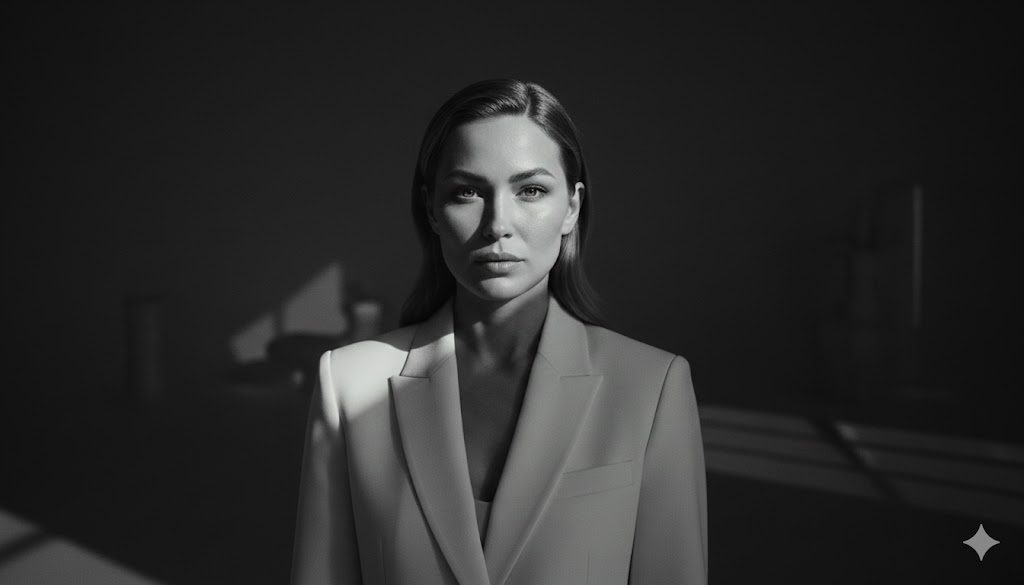
“Create a high-resolution fine-art black-and-white portrait. Dramatic lighting, detailed shadows, natural skin texture, sharp eyes, and deep contrast. Classic portrait lens style. Preserve identity exactly.”
Prompt 11: Rainy Atmosphere Portrait (Moody Film Look)
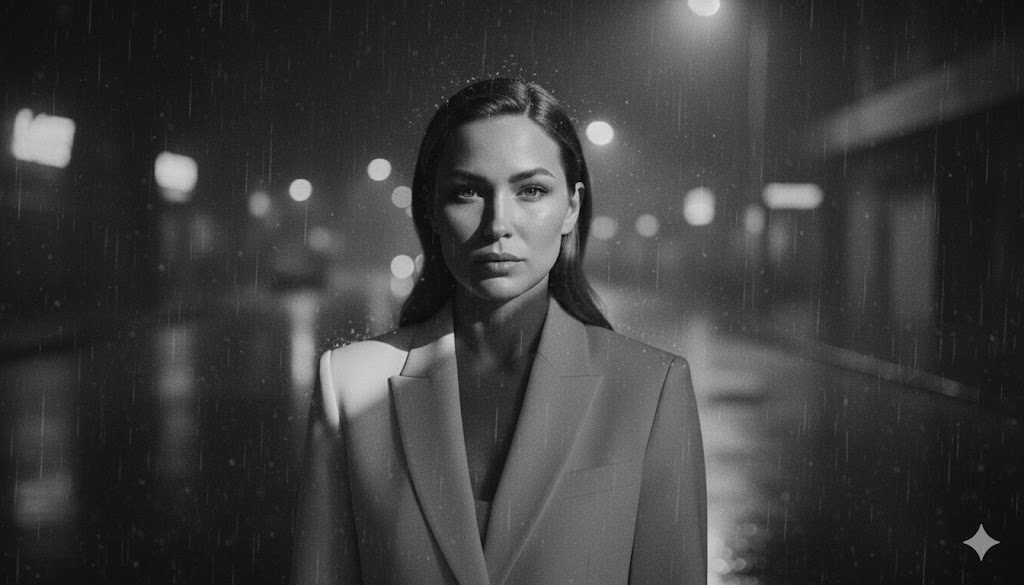
“Enhance into a moody rainy-scene portrait with soft reflections, misty atmosphere, film-grain texture, and cinematic lighting. Keep the face unchanged and hyper-detailed.”
Prompt 12: Vintage Film Portrait (1980s Photography Style)
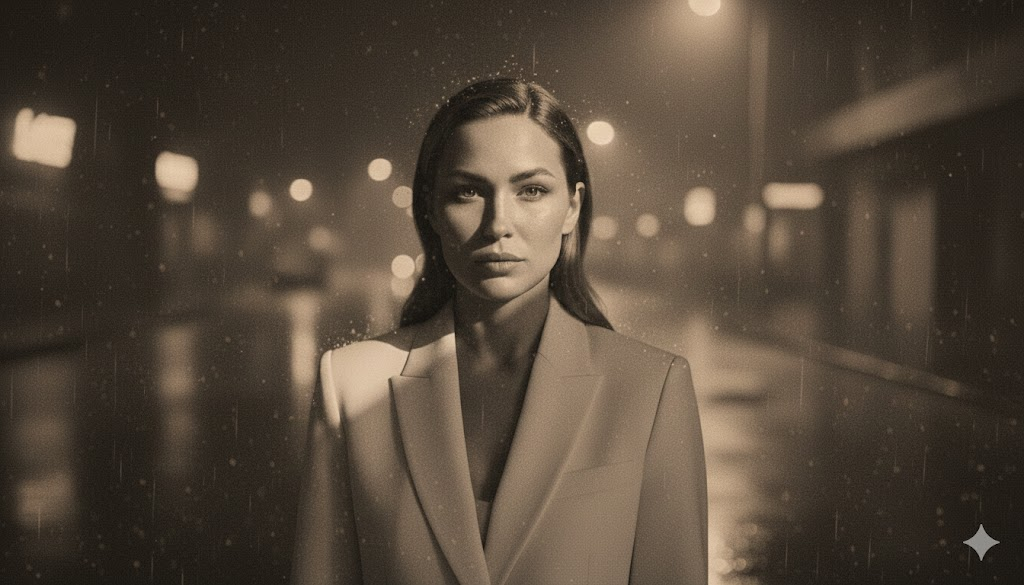
“Transform the image into a vintage analog portrait with warm film tones, subtle grain, soft halation, and classic colors. Hair and facial features remain realistic and untouched.”
Prompt 13: Dreamy Soft-Focus Portrait
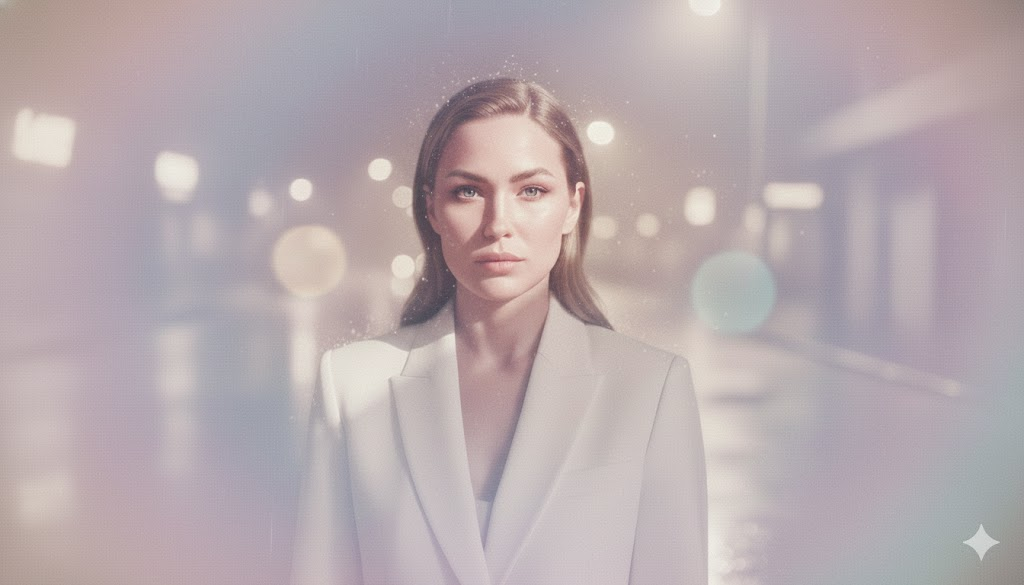
“Create a dreamy portrait with soft-focus lighting around the edges but crystal-sharp eyes and facial features. Pastel-toned background with gentle haze. Skin tone stays natural.”
Prompt 14: Dramatic Fashion Runway Portrait
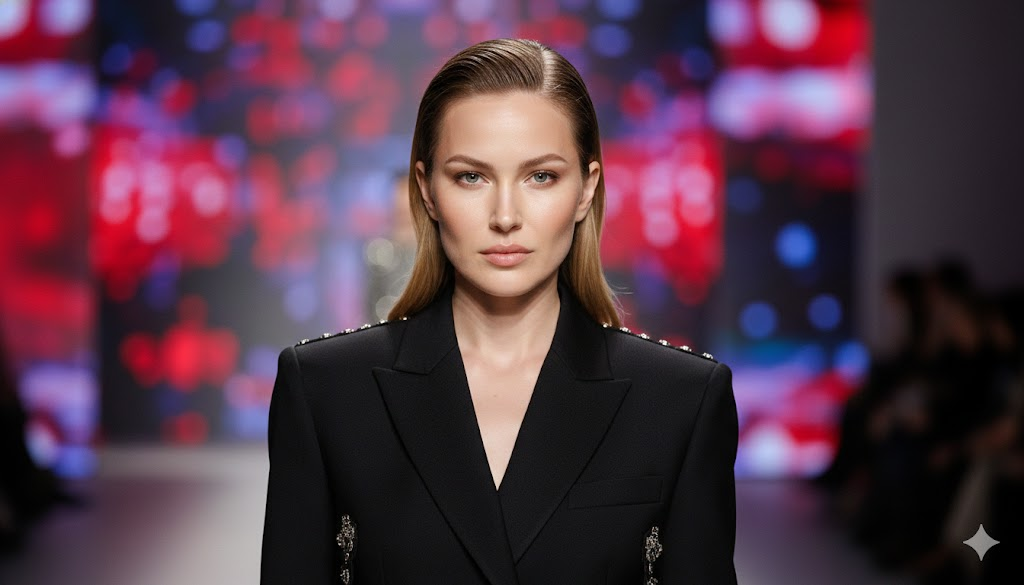
“Generate a runway-style portrait with bold lighting, precise shadows, clean skin texture, and premium fashion styling. Background: blurred runway lights. Keep face identity identical.”
Prompt 15: Forest Ambient Portrait (Natural Light Glow)

“Create a natural outdoor forest-light portrait with soft green tones, warm highlights, and realistic depth. Background becomes diffused foliage bokeh. Preserve the person’s exact face.”
Prompt 16: High-Detail Monochrome Brown Portrait
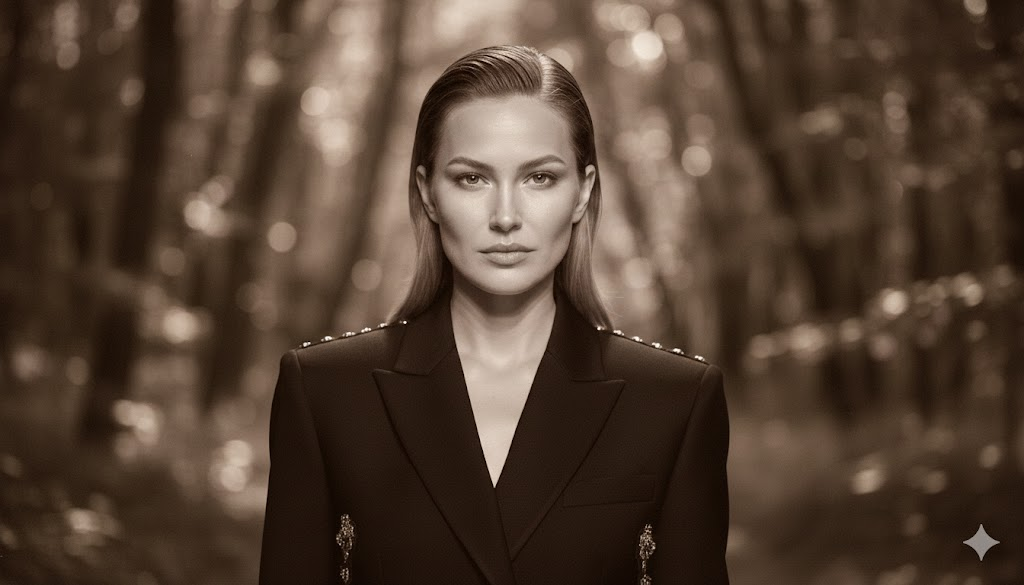
“Convert the image into a brown-toned monochrome portrait with deep texture, soft grain, and subtle shadow gradients. Sharp eyes and natural skin details. 4K DSLR clarity.”
Prompt 17: Elegant Indoor Candlelit Portrait
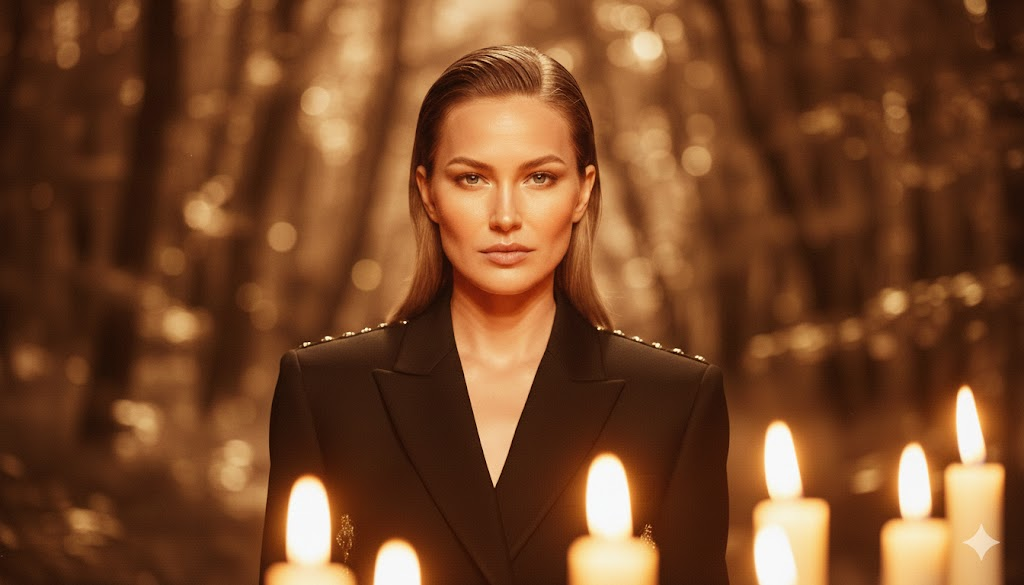
“Generate a warm candlelit portrait with soft amber highlights, gentle shadows, and a cozy background glow. Eyes remain crisp. Skin tone stays natural and softly illuminated.”
Prompt 18: Retro Glam Beauty Portrait (Hollywood Style)
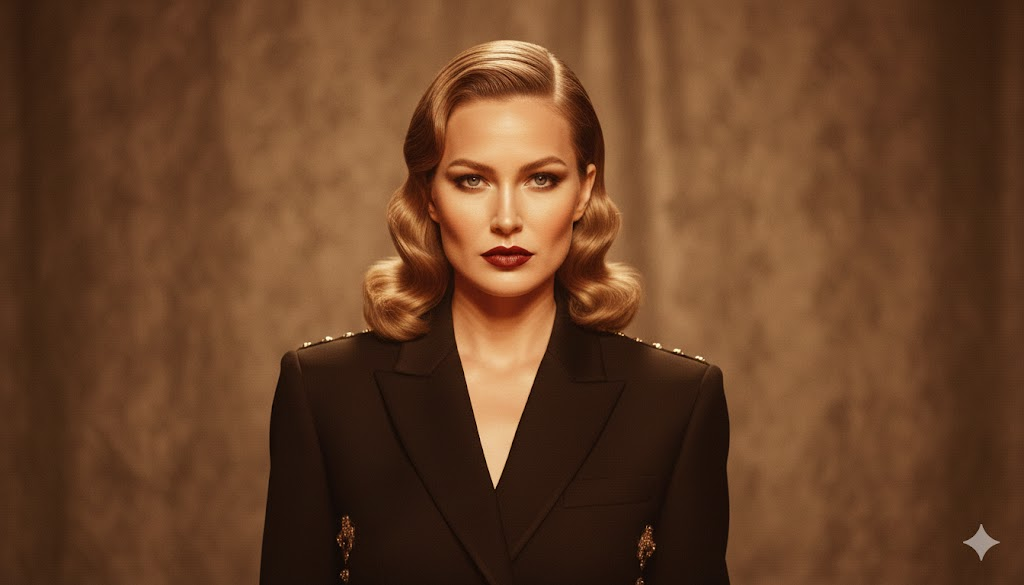
“Enhance into a Hollywood-style retro glam portrait with glossy waves, soft dramatic lighting, defined shadows, and a vintage studio background. High-end beauty magazine finish.”
Prompt 19: Ocean Breeze Outdoor Portrait

“Create a bright seaside portrait with natural daylight, wind-lifted hair texture, crisp facial detail, and a pastel-blue blurred ocean background. Identity remains intact.”
Prompt 20: Ultra-Sharp Close-Up Facial Texture Portrait
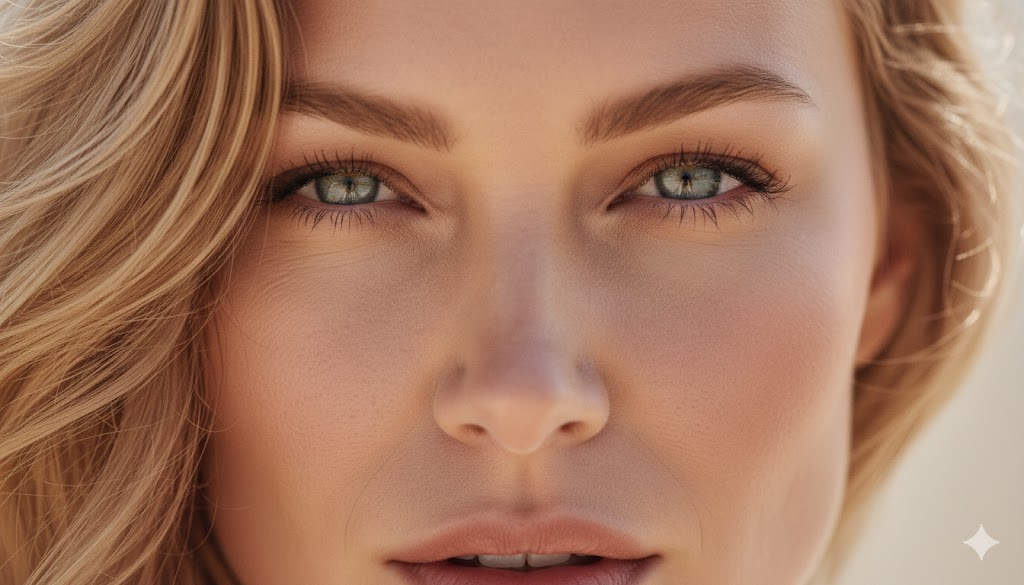
“Generate a macro-style close-up portrait featuring high-detail skin texture, sharp pores, glistening eyes, natural highlights, and a neutral blurred backdrop. Maintain 100% facial accuracy.”
Negative Prompt (Use for ALL Portraits)
“no distortion, no extra fingers, no warped face, no blurry skin, no AI artifacts, no plastic texture, no unnatural smoothing, no incorrect colors, no fake reflections, no cartoon style, no text.”
Final Thoughts
These 20 original Gemini Nano Banana Pro portrait prompts are designed to help you create:
- Ultra-realistic portraits
- DSLR-like depth
- Clean skin textures
- Stylish backgrounds
- Natural lighting
- Professional aesthetics
Just copy, paste, and personalize each prompt with your own style, outfit, or mood — Nano Banana Pro handles the rest with astonishing accuracy.